DynamoDB with PartiQL (Part - 2)

A Developer Advocate experiencing DevRel ecospace at Freshworks. Previous being part of the start-up Mobil80 Solutions based in Bengaluru, India enjoyed and learnt a lot with the multiple caps that I got to wear transitioning from a full-stack developer to Cloud Architect for Serverless!
An AWS Serverless Hero who loves to interact with community which has helped me learn and share my knowledge. I write about AWS Serverless and also talk about new features and announcements from AWS.
Speaker at various conferences globally, AWS Community, AWS Summit, AWS DevDay sharing about Cloud, AWS, Serverless and Freshworks Developer Platform
In the previous post, an overview of DynamoDB with PartiQL was provided. In this post, you will be understanding how PartiQL works with NodeJS code with the DynamoDB SDK API executeStatement.
{% link https://dev.to/awscommunity-asean/dynamodb-with-partiql-2693 %}
Key takeaways from this blog post
- Understanding of DynamoDB SDK for PartiQL execution.
- Building and structuring parameters.
Understanding of DynamoDB SDK for PartiQL execution
DynamoDB SDK provides support for PartiQL with the APIs - executeStatement, executeTransaction and for batch statements batchExecuteStatement.
executeStatement is used to execute read operation and singleton write operation for the data in DynamoDB.
let partiqlStmt = {
        Statement: `SELECT * FROM "copa-america" WHERE "pk" = 'TEAM'`,
    }
let response = await dynamodb.executeStatement(partiqlStmt).promise()
return response
executeTransaction is used to execute transaction reads or writes and since it is based on transactional, we can execute multiple statements also.
let partiqlStmt = [{
        Statement: `SELECT * FROM "copa-america" WHERE "pk" = 'MATCH'`,
    }]
let response = await dynamodb.executeTransaction(partiqlStmt).promise()
return response
batchExecuteStatement is executeStatement with the feasibility of executing multiple statements.
    let partiqlInsertParams = {
        Statements: []
    }
    for (let team of event.teams) {
        let teamParams = {
            pk: "TEAM",
            sk: team.name + "#" + team.group + "#" + team.ranking,
            display_name: team.name,
            team_group: team.group,
            ranking: team.ranking,
            matches_played: team.matches_played,
            matches_won: team.matches_won,
            matches_drew: team.matches_drew,
            matches_lost: team.matches_lost,
            goals_for: team.goals_for,
            goals_against: team.goals_against,
            goals_difference: team.goals_difference,
            team_points: team.team_points
        }
        let partiqlStmt = {
            Statement: `INSERT INTO "testing-partiql" VALUE "{'pk':'${teamParams.pk}','sk':'${teamParams.sk}','display_name':'${teamParams.display_name}','team_group':'${teamParams.team_group}','ranking':${teamParams.ranking},'matches_played':${teamParams.matches_played},'matches_won':${teamParams.matches_won},'matches_drew':${teamParams.matches_drew},'matches_lost':${teamParams.matches_lost},'goals_for':${teamParams.goals_for},'goals_against':${teamParams.goals_against},'goals_difference':${teamParams.goals_difference},'team_points':${teamParams.team_points}}"`,
        }
        partiqlInsertParams.Statements.push(partiqlStmt)
    }
    let response = await dynamodb.batchExecuteStatement(partiqlInsertParams).promise()
    return response
Building and structuring parameters
A SQL based query with a programmatic approach share a lot of similarities with AWS DynamoDB PartiQL statement/transaction execution. Every query executed with executeStatement, executeTransaction and batchExecuteStatement have a structure which has to be followed.
{
      Statement: 'STRING_VALUE', /* required */
      Parameters: [
        { /* AttributeValue */
          B: Buffer.from('...') || 'STRING_VALUE' /* Strings will be Base-64 encoded on your behalf */,
          BOOL: true || false,
          BS: [
            Buffer.from('...') || 'STRING_VALUE' /* Strings will be Base-64 encoded on your behalf */,
            /* more items */
          ],
          L: [
            /* recursive AttributeValue */,
            /* more items */
          ],
          M: {
            '<AttributeName>': /* recursive AttributeValue */,
            /* '<AttributeName>': ... */
          },
          N: 'STRING_VALUE',
          NS: [
            'STRING_VALUE',
            /* more items */
          ],
          NULL: true || false,
          S: 'STRING_VALUE',
          SS: [
            'STRING_VALUE',
            /* more items */
          ]
        },
        /* more items */
      ]
    }
This comprises of the Statement itself which is the SQL statement. Parameters for all the input parameters based on the different DynamoDB supported datatypes - String, Boolean, String sets, Maps, Lists, Number, Number strings and null. For any the statements we can include the parameters in the statement but also able be to send the parameters in Parameters value. DynamoDB supports the concept of pagination of values with NextToken which is returned in the query if the statement has more data to be returned. In case of PartiQL, the limit is set in the statement otherwise by default with the limits of DynamoDB the data are returned.
PartiQL statement without parameters.
    let partiqlStmt = {
        Statement: `SELECT * FROM "copa-america" `,
    }
PartiQL statement with parameters, and the parameters been set in Statement.
    let partiqlStmt = {
        Statement: `SELECT * FROM "copa-america" WHERE "pk" = 'TEAM' AND contains("display_name",'${params.id}')`,
    }
PartiQL statement with parameters, and the parameters been set in Parameters attribute.
    let partiqlStmt = {
        Statement: `SELECT * FROM "copa-america" WHERE "pk" = 'TEAM' AND contains("display_name",'?')`,.
        Parameters: [{
                  "S":  params.id
             }
        ]
    }
This variants of statement objects are sent in executeStatement. For executeTransaction and batchExecuteStatement it would be an array of these variants of statement objects.
Implementation
For the implementation of PartiQL based SELECT statements, from the previous blog post, I've continued to develop queries for -
- Getting all the teams for Copa America
let partiqlStmt = {
      Statement: `SELECT * FROM "copa-america" WHERE "pk" = 'TEAM'`,
  }
let response = await dynamodb.executeStatement(partiqlStmt).promise()
return response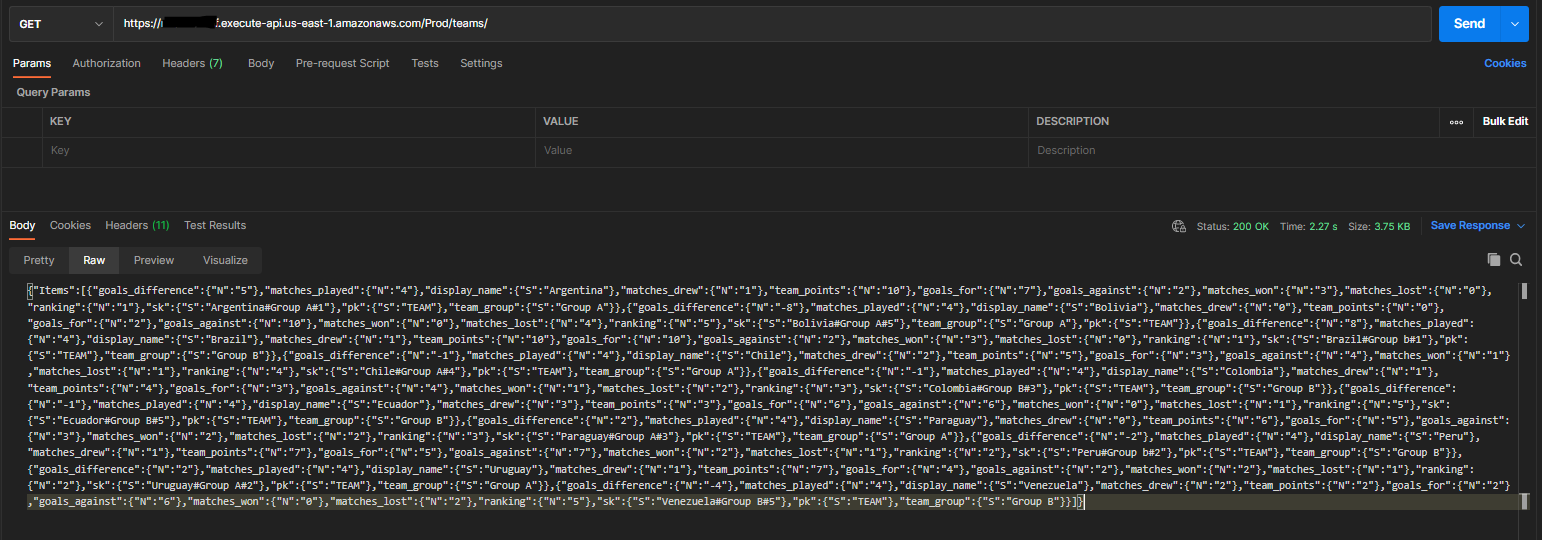
- Getting all the matches for Copa America
let partiqlStmt = {
      Statement: `SELECT * FROM "copa-america" WHERE "pk" = 'MATCH'`,
  }
let response = await dynamodb.executeStatement(partiqlStmt).promise()
return response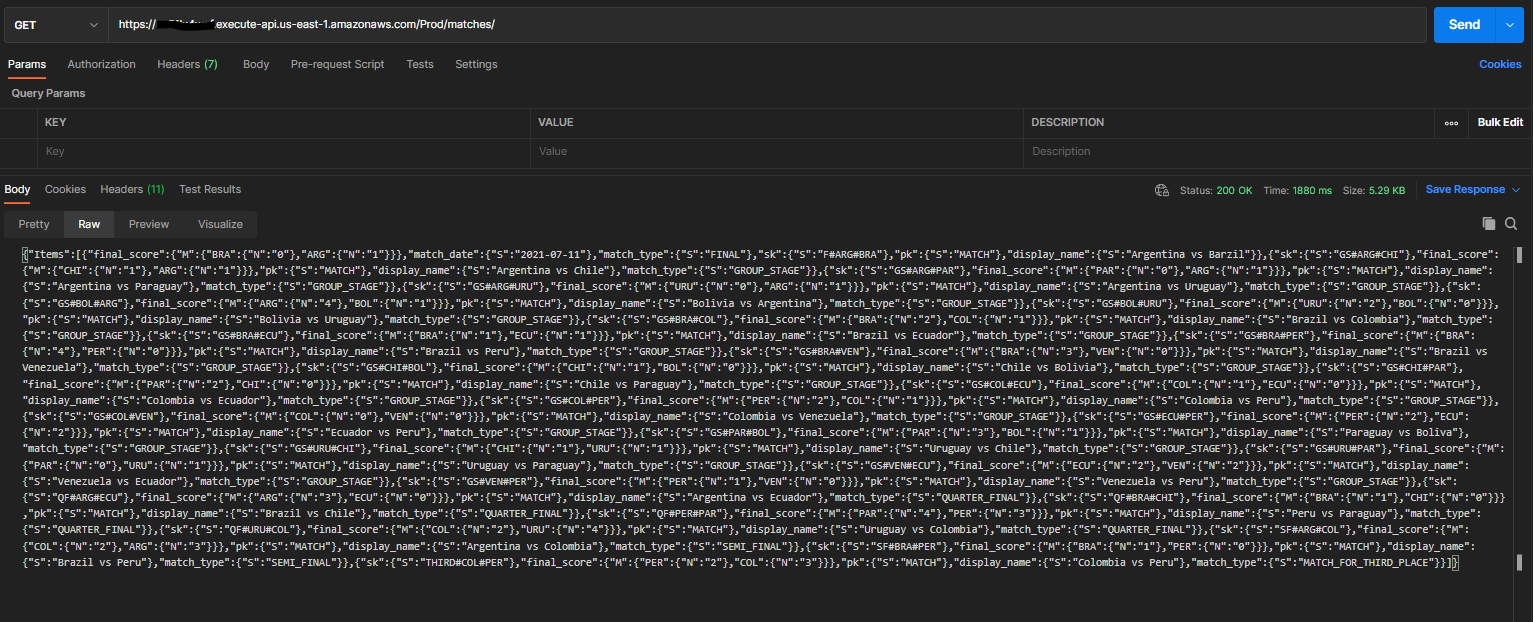
- Getting team info
let partiqlStmt = {
      Statement: `SELECT * FROM "copa-america" WHERE "pk" = 'TEAM' AND contains("display_name",'${params.id}')`,
  }
let response = await dynamodb.executeStatement(partiqlStmt).promise()
return response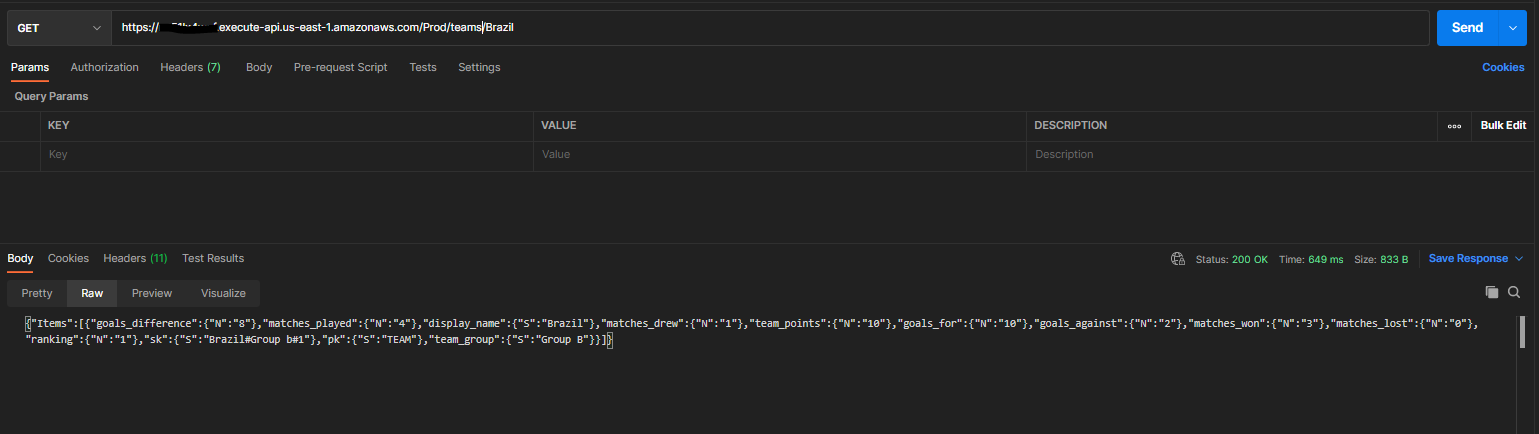
- Getting all the matches played by a team
let partiqlStmt = {
      Statement: `SELECT * FROM "copa-america" WHERE "pk" = 'TEAM' AND contains("display_name",'${params.id}')`,
  }
let response = await dynamodb.executeStatement(partiqlStmt).promise()
return response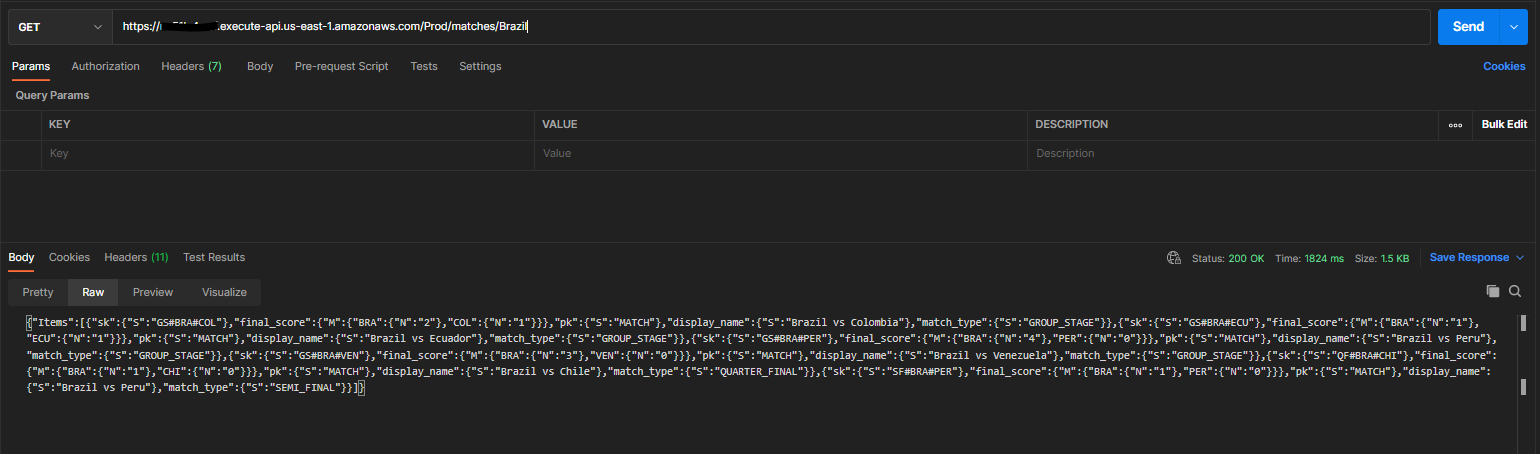
This has been implemented with AWS SAM application with NodeJS, the sample code is available on GitHub. {% github zachjonesnoel/copa-america-partiql-demo/ %}